
TL Automenu
A downloadable Ren'Py addon
Overview
Have you ever struggled keeping track of what languages your VN provides? Did you make sure that you listed them all in the preferences?
And now you need to respond AGAIN to the translator because it doesn't look right for the final build? Wouldn't it be better if one could just... Get a build for translator and translator can just self QA?
Well, I hope you don't really need to work on those anymore, 'cause I'm actually trying to cut down that work.
I made TL Automenu for such purpose. It allows:
- Adding languages to your VN language menu by the sheer fact they exist (or simplifying language menu process) AND
- Adding 2 new build entries which guides you to build packages for the currently selected translating language (note: Option does not appear when selecting the default language)
Key characteristics
- Add languages to language menu just from the sheer fact it exists.
- Make build distributions for translators, focusing and revealing only on the translation files for the language being translated. I.e. the files for translation are automatically outside of all rpa files.
- Allow translators to test and update their translation of the beta build before sending back to the developer.
Quick start
1. Download
Below, download brunoais_tl_automenu.rpy.
Place it inside your project's game directory.
2. It does its magic?
Not yet. The language list must be created.
3. Making language list show up.
There are many ways to do this, some more automated than others. The most simple one is adding it to the preferences screen. This QuickStart will show you one of them with the default settings.
Open your screens.rpy file and search for this (it's part of "screen Preferences"):
use game_menu(_("Preferences"), scroll="viewport"):
Now we will use one of the means provided to display languages. This one is the type that does most work and designed to be embeded into an existing screen such as the preferences screen:
You are now close. Now scroll just a little more to find:
null height (4 * gui.pref_spacing)
Then replace it with this:
            null height (4 * gui.pref_spacing)
            label _("Languages")
            use brunoais_tl_autolang()
            null height (4 * gui.pref_spacing)
Done! Time to go back to your VN's preferences screen to see the results:
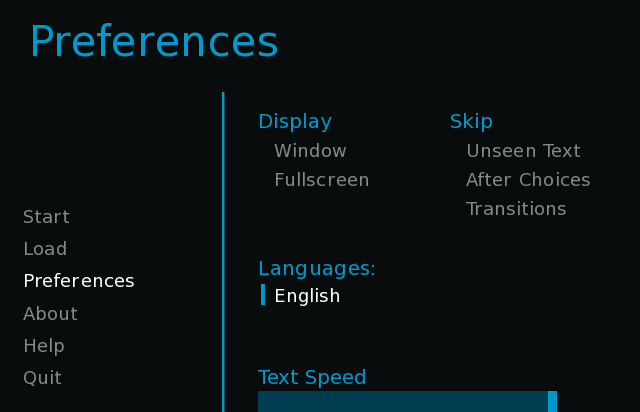
Perfect. English is there already (if you already had translations, more will appear).
Time to add a translation.
2. Create a translation (if you don't have yet)
Let's say... piglatin.
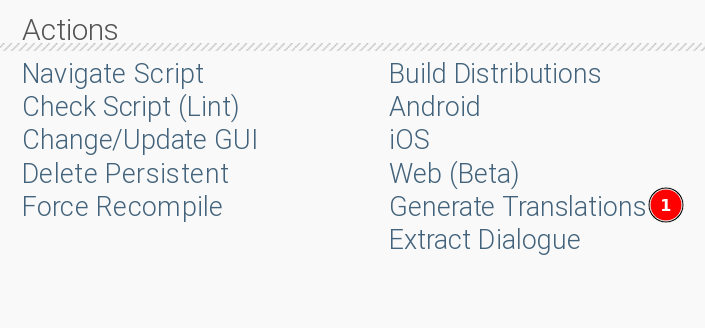
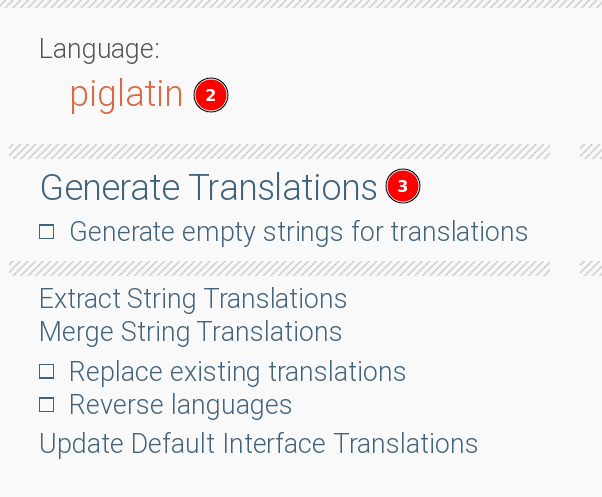
That is what is normally done in "vanilla" renpy, with or without this tool. Now the part of what the tool does.
Now open your project and go to preferences:
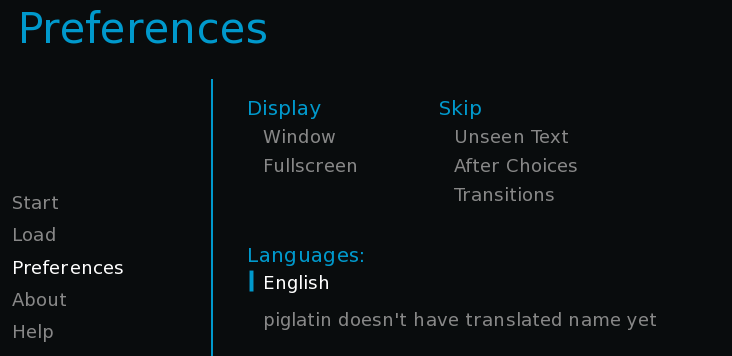
YaY! piglatin is there. It complains it's not translated yet but it's there. No more code changes required. 🎉
3. Doesn't have a translated name yet?
Yes. But it's ok. Look at your editor (mine is VSCode).
There, you will see two new files were created in the translation directory.
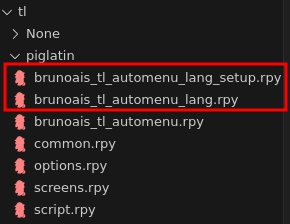
These two brand new files were generated by the tool.
You only need to care about that 1st file (brunoais_tl_automenu_lang_setup.rpy). Note: It's done like that to make sure no other extensions clash with this one.
When you open the file, you will find this:
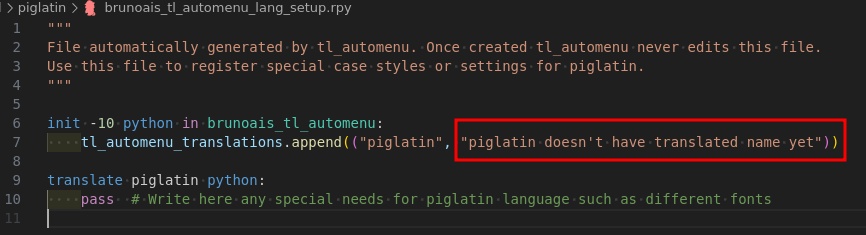
That's what you need to edit to name it. I recommend naming it according to the way the destination language calls their language's name (rather than how english calls it).
Now, updated to Oinkus which is how piglatin says piglatin (probably)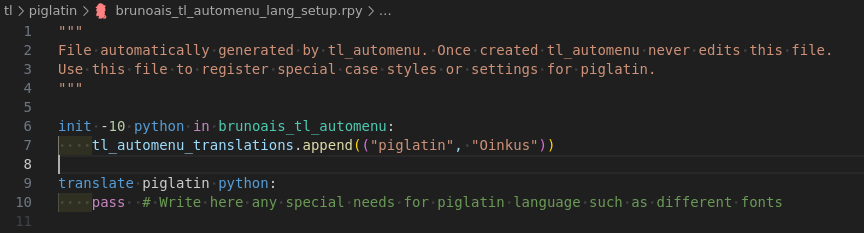
And now, when you go back, it just has "Oinkus". Great!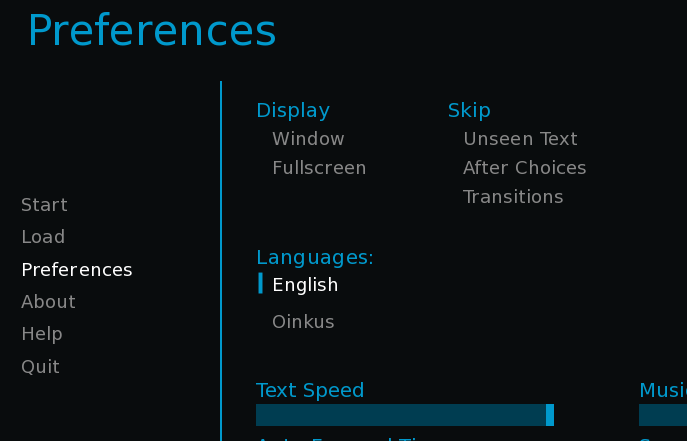
Oinkus is added!
4. How to get an build for a translator of piglatin/Oinkus language?
First: switch to Oinkus:
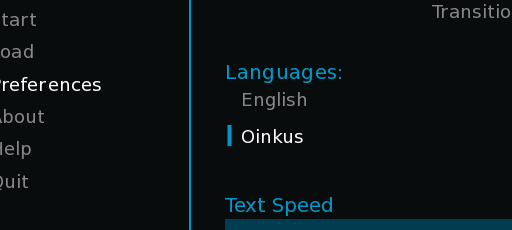
Then go to your Renpy launcher and, on the right side, click "build distributions". After it loads for some seconds: Tada!
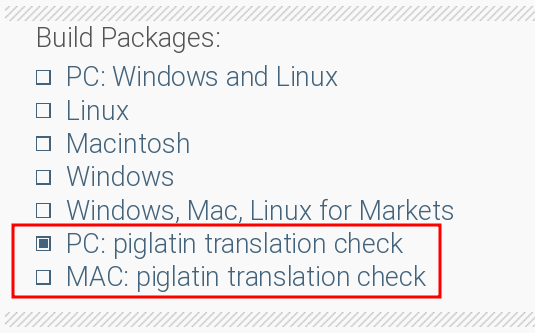
Option to build the piglatin translation checkbox is there!
These two build options are optimized for translators. If you build any of these packages, all files are packaged normally, except for the files inside tl directory :
- Only the target chosen language tl files are included. In the example above, only the piglatin language files will be included and none of the other languages.
- If you have configured archives (rpa files), this setting will, by design, override that setting for the chosen translation files. This is specially useful if you use rpa archives.
- This setting also overrides any rpy exclusions you have set for your builds, so your translator can access the files they need for translation work.
5. Oinkus is fine. What about other languages?
If you create another new language, let's say... pigfrench and its name being "Oinkais" because I decided so:
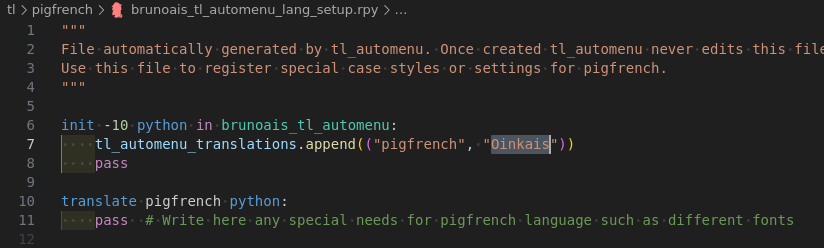 Then after you change language to Oinkais:
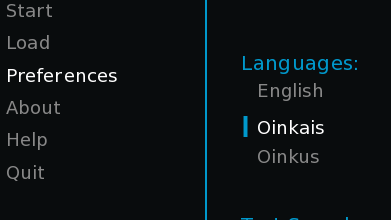
(languages are sorted alphabetically, after the default language which is always the first one)
Back to the renpy launcher "build distribution menu", it's pigfrench that appears instead!
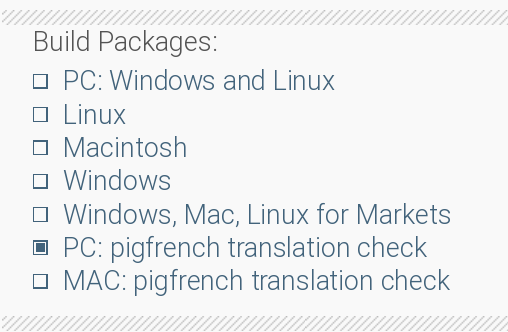
When you make build for a translation check, the rpy files belonging to the chosen language are kept in the corresponding tl directory, even if you are normally archiving all other files into rpa archives. Great!
6. I'm done with this. I want to make a build for all languages. But version id ends with _pigfrench/_piglatin
It's ok. It is a limitation of Renpy that I can't specify different versions depending on what's being packaged and I'm not aware of any solution for this as of now.
To solve: Just select the default language ("English", in this example). It will clear that suffix in the version and it will work.
Alternatively, if you never want that suffix, do as follows:
Go to your options.rpy.
Edit (Note I'm not including the version on purpose so you don't change it by mistake):
define config.version =
to become:
define 30 config.version =
Save and you should be fine then.
Credits
Special thanks once again to konayachi for testing my script before release and both the cover and banner images.
Download
Click download now to get access to the following files:
Development log
- TL Automenu appears out of the smoke1 hour ago

Leave a comment
Log in with itch.io to leave a comment.